
Alexa has become one of the most popular voice assistants in the world, but many older adults still wonder whether it is actually useful in everyday life.
The truth is that Alexa can do much more than answer simple questions or tell you the weather. For many adults over 50, it can help with daily routines, reminders, communication, entertainment, and even home safety.
The best part is that you do not need to be a technology expert to use it. Most tasks can be completed simply by speaking a command.
If you’re curious about whether Alexa could make life a little easier, here are some of the most helpful features older adults should know about.
What Is Alexa and How Does It Work?
Alexa is Amazon’s voice assistant. It is built into devices such as:
- The Echo Dot
- Echo Pop
- And Echo smart speakers
Once connected to your home’s Wi-Fi network, Alexa can respond to voice commands and perform a wide range of tasks.
For example, you can say:
- “Alexa, what’s the weather today?”
- “Alexa, set a reminder for my doctor’s appointment.”
- “Alexa, play Frank Sinatra.”
- “Alexa, call my daughter.”
Instead of using a phone, computer, or tablet, many tasks can be completed simply by speaking.
Medication and Appointment Reminders
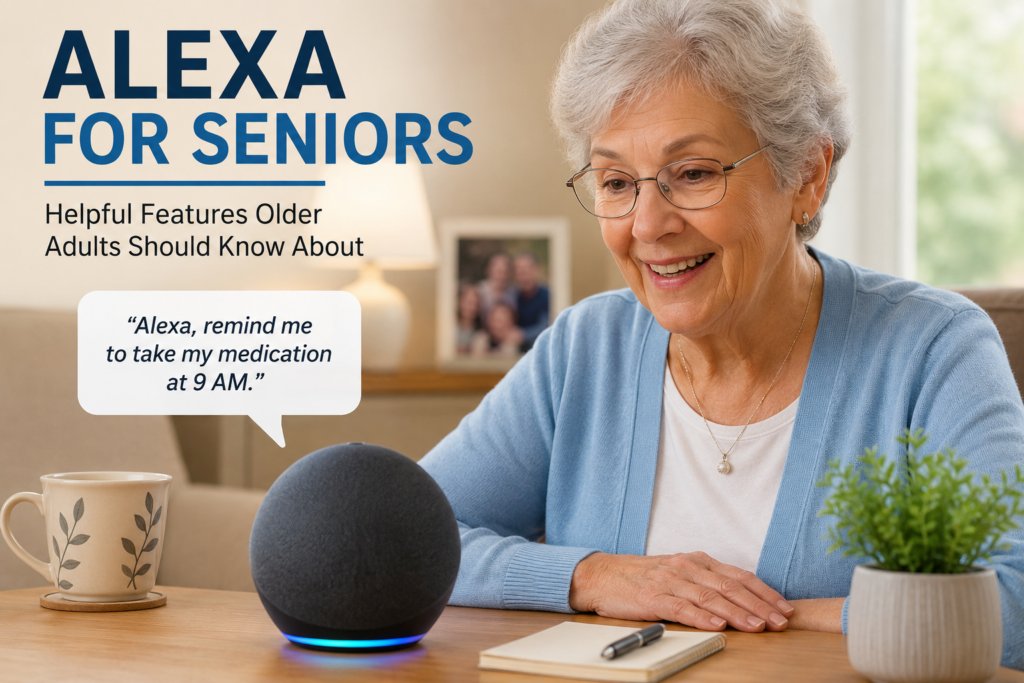
One of Alexa’s most practical features is the ability to create reminders.
Many adults over 50 manage multiple medications, appointments, and daily responsibilities. Alexa can help by providing spoken reminders throughout the day.
Examples include:
- Medication reminders
- Doctor appointments
- Exercise sessions
- Paying bills
- Taking out the trash
- Drinking more water
Because reminders are spoken aloud, they are often harder to overlook than a note on a calendar.
For people who occasionally forget important tasks, this feature alone can be extremely useful.
If having Alexa sounds good and helpful to you, you may explore these devices and compare the Echo Dot, Echo Pop, and other Echo smart speakers here.
⇒ Here is an easy, convenient link to Alexa
Hands-Free Calling and Staying Connected
Staying connected with family and friends becomes increasingly important as we get older.
Alexa allows users to make hands-free calls to approved contacts simply by using their voice.
Instead of searching for a phone, you can simply say:
“Alexa, call John.”
This can be particularly helpful for people with arthritis, vision difficulties, or mobility limitations.
Some Alexa devices also support video calling, making it easier to stay connected with family members who live far away.
Music, Audiobooks, and Entertainment
Many older adults use Alexa primarily for entertainment.
You can ask Alexa to:
- Play favorite music
- Stream radio stations
- Play podcasts
- Read audiobooks
- Provide daily news updates
Music can be especially enjoyable for revisiting favorite memories and artists from earlier decades.
If you enjoy reading, Alexa also works well with audiobooks, allowing you to listen without holding a book or screen.
You may also enjoy reading our article about how music can help older adults reconnect with meaningful memories.
Shopping Lists and Everyday Convenience
Alexa can simplify many small daily tasks.
For example, you can create a shopping list while cooking or moving around the house.
Instead of writing items down, simply say:
- “Alexa, add milk to my shopping list.”
- “Alexa, add batteries to my shopping list.”
The list can then be viewed later through the Alexa app.
This can be particularly convenient for busy households or anyone who prefers voice commands over writing notes.
Smart Home Features for Safety and Comfort
One area where Alexa can be surprisingly helpful is home automation.
With compatible smart devices, Alexa can control:
- Lights
- Smart plugs
- Thermostats
- Security cameras
- Doorbells
For example, instead of walking through a dark house at night, you can simply say:
“Alexa, turn on the hallway light.”
Many adults find these features useful for improving comfort and reducing unnecessary movement around the home.
If you’re interested in making your home safer and more comfortable, you may also want to explore our Home Setup section.
Voice Assistance for People With Mobility Limitations
For people dealing with arthritis, joint pain, reduced mobility, or temporary injuries, voice control can make certain tasks easier.
Instead of getting up repeatedly to adjust lights, music, timers, or reminders, many actions can be handled through simple voice commands.
While Alexa is not a medical device and should never replace emergency services or professional care, it can help make certain everyday activities more convenient.
Is Alexa Easy for Older Adults to Use?
Many people assume Alexa is complicated because it involves technology.
In reality, most users only need to learn a handful of commands to get started.
Common examples include:
- “Alexa, what’s the weather?”
- “Alexa, set a timer for 20 minutes.”
- “Alexa, play country music.”
- “Alexa, remind me to take my medication.”
Most people become comfortable using Alexa after only a short period of practice.
Because it relies on voice commands, many older adults find it easier to use than traditional apps or complicated menus.
Which Alexa Device Is Best for Seniors?
The best Alexa device depends on individual needs.
| Device | Best For |
|---|---|
| Echo Pop | Simple voice commands and small spaces |
| Echo Dot | Everyday use and better sound quality |
| Echo | Larger rooms and stronger audio |
| Echo Show | Video calls, photos, and visual information |
For most people, an Echo Dot is often the simplest place to start because it offers a good balance of features, ease of use, and affordability.
Frequently Asked Questions
Does Alexa require a monthly subscription?
No. Most Alexa features work without a monthly subscription. However, certain services such as music streaming subscriptions may have separate costs.
Does Alexa need internet access?
Yes. Alexa requires a Wi-Fi connection to process voice commands and access online features.
Can Alexa call emergency services?
Alexa is not a replacement for emergency services. Some features may assist with communication, but users should always maintain access to traditional emergency contact methods.
Is Alexa difficult to set up?
Most devices are designed for simple setup using the Alexa mobile app and a home Wi-Fi connection.
What is the best way to get Alexa?
You can go directly to the Amazon website, or:
⇒ Here is an easy, convenient link to Alexa
Final Thoughts
Alexa is not essential for everyone, but many older adults find it surprisingly useful once they begin using it.
From reminders and hands-free calling to music, shopping lists, and smart home controls, Alexa can simplify many everyday tasks while supporting comfort and independence.
The best approach is to focus on the features that solve real problems in your daily life. Even using only a few of Alexa’s capabilities can make routines easier and help you stay organized, connected, and informed.
Some pages on PowerAt50Plus may contain affiliate links, including links from the Amazon Associates Program and other trusted partner programs.
This means that if you click on certain links and make a purchase, I may earn a small commission at no extra cost to you.