
A phone call is great, but seeing the faces of children, grandchildren, and friends can make conversations feel much more personal. For older adults who live alone or have family spread across the country, staying connected often depends on technology.
Fortunately, today’s smart displays for seniors are designed to be much easier to use than traditional computers or tablets. Large touchscreens, voice commands, video calling, photo sharing, reminders, weather updates, and calendar features are all available from a single device.
Many families use smart displays to check in regularly, share photos instantly, and make video calls without requiring complicated setup. Some devices can even be controlled almost entirely by voice, making them especially useful for individuals with limited mobility or vision challenges.
If you’re looking for a simple way to stay connected with loved ones while also enjoying helpful daily features, the smart displays below are among the best options available today.
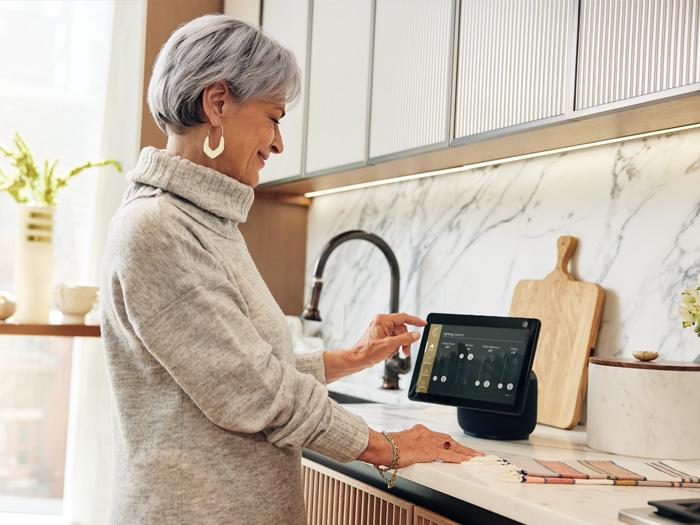
Smart Displays for Seniors: Quick Comparison
The table below compares some of the most popular smart displays available today.
| Smart Display | Best For | Screen Size | Voice Assistant |
|---|---|---|---|
| Echo Show 8 | Overall value | 8 inches | Alexa |
| Echo Show 10 | Hands-free video calls | 10.1 inches | Alexa |
| Google Nest Hub Max | Family communication | 10 inches | Google Assistant |
| Echo Show 5 | Small spaces | 5.5 inches | Alexa |
| Lenovo Smart Display | Everyday assistance | Various sizes | Google Assistant |
| Echo Show 15 | Large-screen experience | 15.6 inches | Alexa |
Why Smart Displays for Seniors Are Growing in Popularity
Technology becomes much more useful when it solves a real problem.
A smart display combines several devices into one:
- Video calling
- Photo sharing
- Voice-controlled assistance
- Medication reminders
- Weather forecasts
- Calendar management
- News updates
- Entertainment options
Instead of learning multiple devices, users can access these features from one simple screen.
1. Amazon Echo Show 8
Best Overall Smart Display
The Echo Show 8 offers an excellent balance of screen size, features, and ease of use.
What it is
A voice-controlled smart display powered by Alexa.
How it helps
Users can make video calls, view family photos, set reminders, check the weather, and listen to music using simple voice commands.
Best for
Older adults who want a versatile device without a steep learning curve.
⇒ See your choice of smart displays for seniors here at Amazon
2. Amazon Echo Show 10
Best for Hands-Free Video Calls
The Echo Show 10 includes a rotating screen that follows movement during video calls.
What it is
A smart display with motion-tracking technology.
How it helps
The screen adjusts as you move around the room, helping keep you visible during conversations.
Best for
Frequent video callers who enjoy staying connected with family.
⇒ See your choice of video-calling smart displays here
3. Google Nest Hub Max
Best for Family Communication
Google’s larger smart display offers excellent integration with Google services.
What it is
A smart display powered by Google Assistant.
How it helps
Users can make video calls, manage calendars, display photos, and control compatible smart-home devices.
Best for
Families already using Google products.
⇒ See your choice of Google-powered smart displays here
4. Amazon Echo Show 5
Best for Small Spaces
Not everyone needs a large screen.
What it is
A compact smart display that fits easily on a bedside table or kitchen counter.
How it helps
Provides reminders, video calling, weather updates, and voice assistance in a smaller footprint.
Best for
Bedrooms, apartments, and limited spaces.
⇒ See your choice of compact smart displays here
5. Lenovo Smart Display
Best for Everyday Assistance
Lenovo’s smart display combines useful features with a clean design.
What it is
A touchscreen display powered by Google Assistant.
How it helps
Supports video calls, reminders, photos, and voice-controlled information.
Best for
Users looking for a straightforward Google Assistant experience.
⇒ See your choice of everyday smart displays here
6. Amazon Echo Show 15
Best Large-Screen Option
The Echo Show 15 functions almost like a family communication center.
What it is
A large smart display designed for wall mounting or countertop use.
How it helps
The larger screen makes photos, video calls, calendars, and reminders easier to view.
Best for
Households wanting a central family information hub.
⇒ See your choice of large-screen smart displays here
How to Choose Smart Displays for Seniors
Several factors can influence which device works best.
Screen Size
Larger displays are often easier to read and use, especially for video calls and photos.
Voice Commands
Voice control can reduce the need for typing or navigating menus.
Video Calling Features
Choose a display that supports the calling platforms used by family members.
Ease of Setup
Some devices are simpler to install and configure than others.
Photo Sharing
Many families enjoy sending photos directly to a smart display throughout the day.
Features That Make Smart Displays Easier to Use
The best smart displays for seniors focus on simplicity.
Helpful features include:
- Large touchscreens
- Voice controls
- Automatic photo slideshows
- Video calling
- Medication reminders
- Calendar notifications
- Emergency contact access
- Smart-home integration
According to the National Institute on Aging, technology that supports communication and independence can help older adults remain connected and engaged with family and community activities.
For people who value independence, technology that simplifies daily tasks can be especially helpful. Similar convenience-focused products are discussed in:
- Hands-Free Shoes for Seniors: Are They Worth the Investment?
- Adaptive Clothing for Seniors With Arthritis or Limited Mobility
Potential Benefits Beyond Communication
Many users purchase smart displays for video calls but discover additional benefits.
These devices can help with:
- Daily reminders
- Appointment tracking
- Medication schedules
- Grocery lists
- Entertainment
- News updates
- Weather forecasts
A single device can support several aspects of daily living.
Frequently Asked Questions
What are the best smart displays for seniors?
Popular choices include the Echo Show 8, Echo Show 10, Google Nest Hub Max, Echo Show 5, Lenovo Smart Display, and Echo Show 15.
Are smart displays difficult to use?
Most modern smart displays are designed to be user-friendly and can be operated using simple voice commands.
Can smart displays make video calls?
Yes. Most smart displays support video calling with family and friends using compatible services.
Do smart displays require Wi-Fi?
Yes. An internet connection is generally required for video calling, voice assistance, and online features.
Can smart displays show family photos?
Yes. Many devices can automatically display photos shared by family members.
Are smart displays for seniors worth it?
For individuals who want easier communication, reminders, and everyday assistance, smart displays for seniors can provide significant convenience and value.
Final Thoughts on Smart Displays for Seniors
The best smart displays for seniors make communication easier while offering practical tools that support everyday life.
Whether the goal is seeing grandchildren more often, receiving medication reminders, displaying family photos, or simplifying daily tasks, a smart display can become a useful part of the home.
For most users, the Echo Show 8 offers the best balance of features and ease of use, while larger options like the Echo Show 15 provide an even more visible and family-friendly experience.
Affiliate Disclosure
Some pages on PowerAt50Plus may contain affiliate links, including links from the Amazon Associates Program and other trusted partner programs.
This means that if you click on certain links and make a purchase, I may earn a small commission at no extra cost to you.